How to Reset your Library Account Password
The University of Melbourne is moving to a new library system.
The current University of Melbourne Library System will be replaced with a new integrated Library Management System from 29 June, 2026. It’s a next generation system designed to improve user experience and enhance search and discovery across our extensive print and digital collection.
What do I need to do?
If you’re an external or alumni borrower, you’ll need to reset your library account password the first time you log in from 29 June. This applies to borrowers on paid, complimentary, and reciprocal memberships.
Melbourne University staff and students will be automatically logged on by the SSO (Single Sign On) process.
Instructions
-
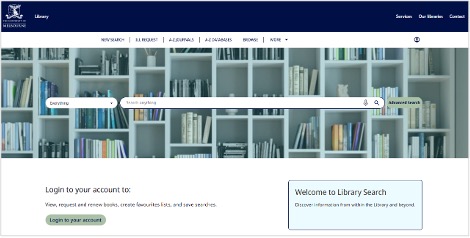
Go to the home page to access your library account, then click ‘Login to your account’.
The new link will be made available from 29 June.
-
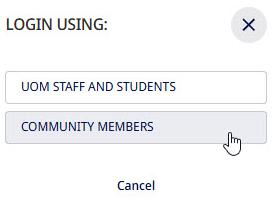
Select Community Members for your Login.
Community members include external or alumni borrowers .
-
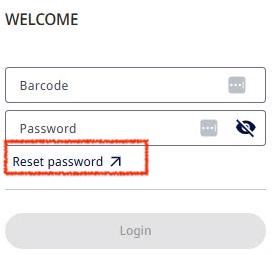
Click Reset Password.
-
Enter the barcode and click Send.
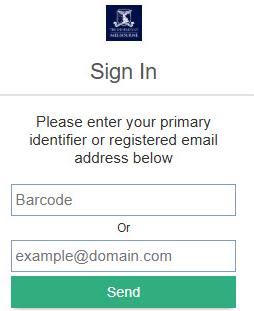
You will be sent an email from no-reply@unimelb.edu.au
(Please check your Spam folder, in case it gets redirected there.) -
Click the Reset Link in your email, then at the Create New Password page:
- Enter your new password twice
- Click Send.
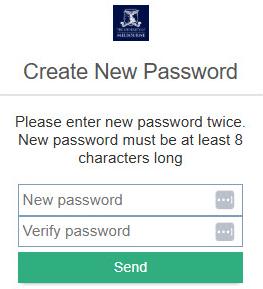
Your new password is now set.
-
Log into your library account using your new password.
Download as PDF
For more help please contact us