Figshare user guides
Figshare user guides
User Guides
Help resources
The Melbourne Figshare user guides offer practical step by step instructions and helpful tips for showcasing outputs within the institutional and wider global research ecosystem.
Academic staff and graduate research students can learn how to upload, manage, share and publish research data, other supplementary materials, creative and practice-based outputs at the University of Melbourne. This guide also covers working collaboratively through projects and curating digital materials into a collection for display and discoverability using a single digital object identifier.
The Melbourne Figshare user guides are designed to be used in conjunction with the Metadata Guidelines. Metadata is important for the discoverability of digital content and to let people know the circumstances under which the data can be reused.
Self-help resources
Requesting support
Making your research discoverable and accessible
The Melbourne Figshare repository supports academic staff and graduate research students to store, share and publish data, research materials and non-traditional research outputs (NTROs).
Publishing your data and digital materials using the University’s repository helps make your research more discoverable and allows you to track online metrics. With features like persistent identifiers and citation formats, you can monitor how your data is shared, used and adapted.
Items uploaded to this repository, can be published so they are openly accessible, downloadable and reusable. They and can also be published using limited or mediated access, making them discoverable but not directly accessible.
-
Accessible research is important for reproducibility and transparency. By sharing your data, reports, pre-prints, code, and other outputs alongside the final publication, you provide more resources for others to access cite, share and reference from your research project. Leading to greater impact on research, policy, culture and practice.
Through planning, many elements of the research lifecycle can be made open, transparent, and reproducible. Visit the Open Scholarship website to learn ways to integrate open practices into your research and enhance the impact of your research outcomes.
-
Different types of data uploaded to Melbourne Figshare may require varying levels of availability and access. Melbourne Figshare allows users to utilise the benefits of this repository while limiting or restricting direct access to the data or files.
- The download function for this repository can be disabled, making files view only
- Files can be placed under embargo, limiting access for a set time period or indefinitely
- If working with data that contains private or sensitive information, you can publish a metadata only record making your research discoverable but not directly accessible.
To find out more about the different levels of accessibility for research data and materials, visit the library's Open Research and Data Publication webpage
-
Before publishing your data it's important to understand the University's guidelines to working with data that may contain private or sensitive information. The Research Data Classification Guidelines and Tool can help you understand and assess the sensitivity of your research data.
Research data Classification Framework and Tool
Items should only be uploaded to Melbourne Figshare if they have been classified as presenting negligible or limited risk
Metadata Guidelines
Publishing research outputs in a findable and reusable way can increase the discovery and distribution of digital research content. In recognition of the FAIR data principles, adding clear and descriptive metadata to a published record helps make digital content Findable, Accessible, Interoperable and Reusable. Metadata can increase the discovery of digital content and lets people know the circumstances under which data can be reused and how data should be preserved into the future.
Adding descriptive and meaningful metadata to the institutional repository Melbourne Figshare
The text fields within a Figshare record allow research data to be published alongside a clear and meaningful description of the output. The description, along with reuse licensing information, provides essential context for understanding and ensuring reproducibility of the work.
Learn more about best practice when adding metadata to figshare by visiting the webapge ‘How to fill in the metadata fields (Start here!!)’
Published research data generally require some kind of online description (i.e. metadata) and should be findable, accessible, interoperable, and re-usable, both manually and with automated tools. This requires researchers to include appropriate context (descriptive, technical, methodological, access, and provenance information) either within the data structure or in separate metadata records for the research data. The Australian Code for the Responsible Conduct of Research 3.1 Retention and publication
Custom Metadata Field
'Add to Elements' is a custom Metadata field, only available from within Melbourne Figshare. Selecting 'yes' from the dropdown menu under this field will send metadata about items published in Melbourne Figshare to Elements, Find an expert and the University's Researcher Dashboard. Find out more information through this Knowledge Based Article.
Adding your research to Melbourne Figshare
Files and folders
Files, folders, and information related to your research can be added to Melbourne Figshare. This is done by creating a record called an item. Items can be published with attached files, by linking to an external file or by publishing a metadata only record. A Figshare item is citable and contains a digital object identifier (DOI).
Find out more about creating items with or without files on the figshare webpage. Publish without uploading files or publish with files and folders
Metadata
Metadata helps give context to your work and enhance discoverability of your research. Further resources can be found through the University's Figshare Metadata Guidelines webpage or by visiting the general figshare repository webpage, ‘How to fill in the metadata fields (Start here!!)’
Licences
When sharing your data it is important for those receiving or accessing your work to understand how they themselves can share, reuse and possibly adapt the asset. Items in Figshare can only be made public once an appropriate re-use licence has been applied to the record.
For more information about selecting an appropriate copyright licence for your work review the Selecting a licence in Melbourne Figshare guide.
The University's Copyright Office can provide in depth information about copyright material for research.
Add your research to Elements for display on Find an Expert
In Melbourne Figshare, items have a custom metadata field. The ‘Add to Elements’ field allows you to add published items to Elements the University’s internal research output management system enabling them to be displayed on platforms such as Find an Expert, ORCID and ARC RMS.
On the ‘Add to Elements’ field, select ‘yes’ from the dropdown menu. The item will then be ingested into university workflows as a non-traditional research output.
Selecting a licence for your work in Melbourne Figshare
There are a number of resources available to help you to select the most appropriate licence for work that you are publishing in Melbourne Figshare.
The University Copyright Office provides detailed information about Creative Commons (CC) licences: https://copyright.unimelb.edu.au/copyright-and-research/selecting-a-licence-for-your-work
Information about using a Restrictive Licence, particularly suitable for material that is under embargo or where files are not available through Melbourne Figshare and researchers will need to request access: https://library.unimelb.edu.au/Digital-Scholarship/restrictive-licence-template
figshare.com provides information about a range of licences that can be selected: https://help.figshare.com/article/what-is-the-most-appropriate-licence-for-my-research
Making data available before publication
Figshare allows content to be saved and shared prior to its publication. Graduate researchers may wish to share data with their supervisor for review before the data is made publicly accessible or researchers may be required to share data as part of a peer review process.
A digital object identifier (DOI) can also be reserved for inclusion in a manuscript before publication.
Share items privately before publication
A private link allows unpublished items to be selectively shared. Anyone with access to the link can view the unpublished files and associated metadata. A private link can be disabled by removing access to the record.
For a step by step guide visit figshare’s ‘How to use Private Links’ webpage.
Reserve a digital object identifier (DOI)
A DOI is a persistent hyperlink that allows published content to be uniquely identifiable, easily accessible and trackable. In figshare, a DOI can be reserved before the item is published making it easier to set up accurate references and citations for you outputs while they are still in draft form.
Find out more about reserving a DOI for your draft paper or thesis through the ‘How to reserve a DOI’ webpage
Updating a published item
Versioning
Editing an item or collection in figshare will create a new version of the published record. Making changes to a project in figshare does not create a new version of the project.
When a new version of a figshare record is published, previous versions of the record remain accessible via the dropdown menu next to the record version number.
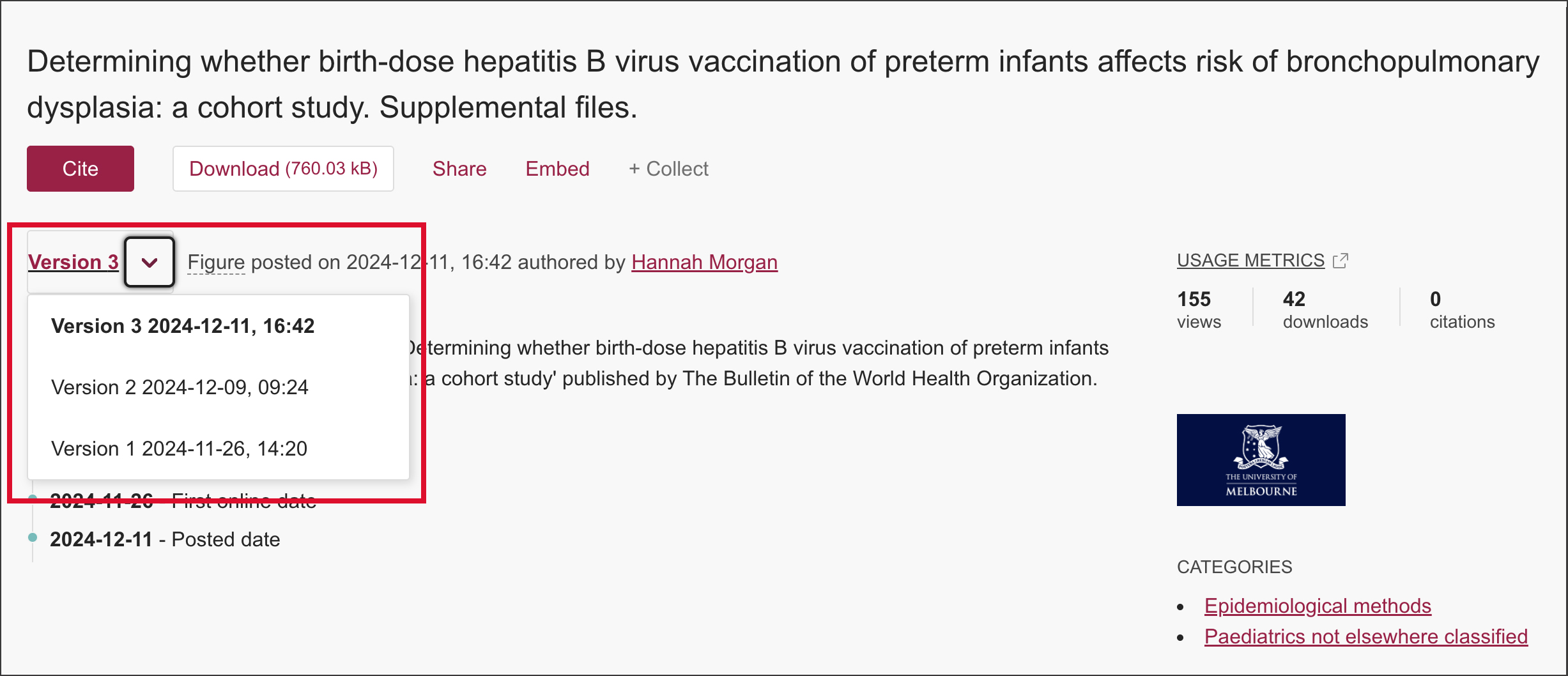
Changes to a figshare record that will create a new version:
Item:
- modifying the title
- add/edit/remove author/s
- change the license
- adding new files
- removing files
- replacing files
- removing permanent embargoes from files
- removing the metadata only flag and uploading files
- replacing the link associated with a linked item
Collection:
- modifying the title
- change the license
- adding new files
- removing files
- replacing files
- add/edit/remove author/s
- upgrading the item's version linked to a collection
DOI's and versioning
Each version of an item and collection has its own DOI. The DOI for each version consists of the base DOI plus the version number.
For example, https://doi.org/10.26188/10257728.v11 will link to version eleven of the item.
https://doi.org/10.26188/10257728 is the base DOI and .v11 is the version number.
Citing the figshare item or collection using the base DOI only will always resolve to the latest version of an item.
To find out more about versioning and what changes to a figshare item will trigger a new version,visit figshare’s ‘How versioning works’ webpage
Collaborate through a project or curate a collection?
Creating a project is a great way to collaborate with people from within the University as well as those external to the University. Project members can create and upload content as an item. Members can also add notes and comments to project items.
A collection in allows content to be grouped together under a theme. Collections can be kept private or published so they are publicly accessible. A collection will have its own DOI making it citable and trackable.
To understand if working with a figshare project or a collection will benefit your research, visit figshare’s ‘Comparing Project and Collection features’ webpage. On this page you can also read about the ‘how to’ of Projects and Collections.