Library Account Login for Community Members
The University of Melbourne has a new library system. This next generation system is designed to improve user experience and enhance search and discovery across our extensive print and digital collection.
You can find out more on our Library Systems Update webpage.
What do I need to do?
If you are a community member, please follow these instructions on how to log in to your Library account.
Who are community members?
‘Community' is a new umbrella term to encompass all external memberships, including Alumni.
Instructions
-
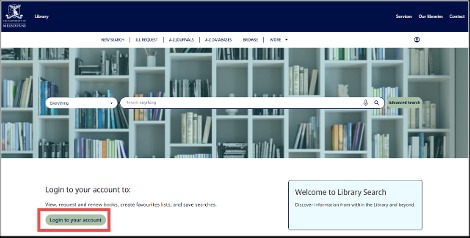
On the Library Search page click ‘Login to your account’.
-
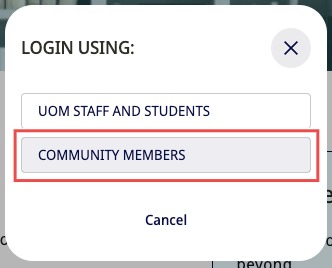
Select Community Members.
-
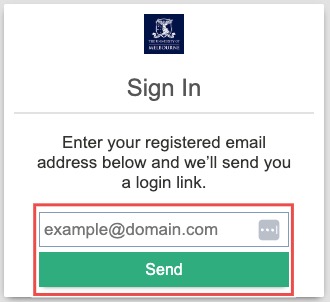
Enter your existing library account email and click Send.
If you’re unsure which email to enter please contact the library.
You will receive an email from no-reply@unimelb.edu.au with your login link
-
Open the email and click the link to log in and access your library account.
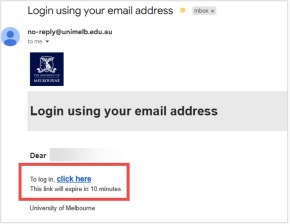
The link is valid for 10 minutes.
Download as PDF
For more help please contact us