FAQ
Looking for an existing interlibrary loan request? During our transition to a new system, some requests may still be managed in the old system. If you cannot find your request in your library account, check Relais. Access Relais here
-
If the item you need is not available in the library collection, you can request it through Interlibrary Loan.
Request from Library Search:
- Search for the item in Library Search.
- Select Expand your search if no suitable results are found.

- Click Request via Interlibrary Loan.
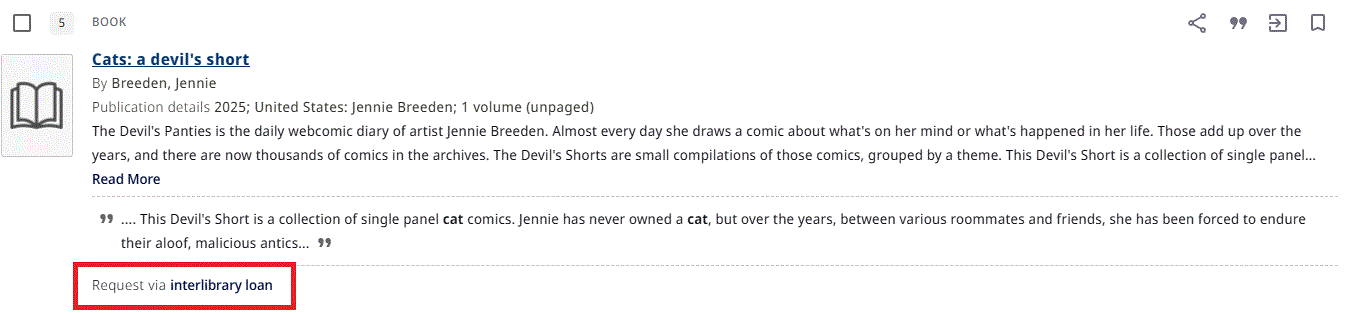
- Sign in to your account.
- Choose a request option (loan, article, or chapter).
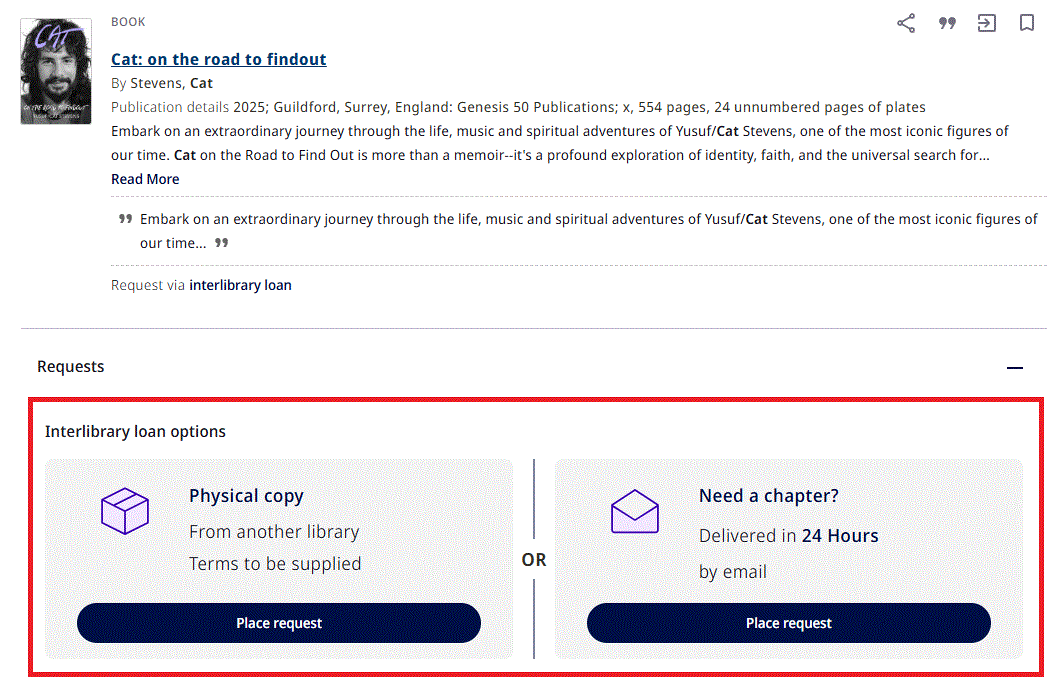
- Review the details and select Send Request.
Create a request from scratch:
- Fill in the blank ILL Request form
- Use this option when:
- You already know the item details, or
- The item cannot be found in the search results.
- Complete the request form and provide as much information as possible.
- Select Send Request to submit the request.
-
You can view the status of your requests by signing in to Library Search and clicking My library activity.
Click on Requests to view your interlibrary loan requests.
-
Yes. Australian copyright law applies to all interlibrary loan requests.
This means there are limits on how much of a work can be supplied and how the material can be used. For example, requests for articles, chapters, and extracts must comply with copyright provisions, and copies are provided for research or study purposes only.
The Library manages copyright compliance on your behalf, so you don’t need to navigate the rules yourself. If a request cannot be supplied due to copyright restrictions, we will let you know and, where possible, suggest alternative options.
For more information, see our Copyright information page.
-
Most interlibrary loan requests are supplied at no cost to you.
In some cases, a supplying library may charge a fee. If the cost exceeds our preset limit, we will contact you to confirm whether you are willing to proceed before any charges are incurred.
There is no obligation to continue with the request if you do not wish to pay.
-
If you need an item urgently, submit your request as usual and then email us as soon as possible to let us know.
While we can’t guarantee faster supply, letting us know your timeframe allows us to prioritise your request where possible and explore the quickest available options.
-
Digital Copies:
We supply copies electronically. You will receive an email with a link to download the document.
Physical Loans:
When your item is ready, we will notify you, and you can collect it from your nominated branch library.
Some items are for use in the library only. If this applies to your request, we will let you know when the item arrives.
-
If you need to renew your interlibrary loan, please email the team a few days before the due date to request a renewal.
Renewals are subject to approval by the supplying library, so we cannot guarantee that all requests can be extended. We will let you know the outcome as soon as we receive a response.
-
If you no longer need an item, you can cancel the request from the Requests section of your library account.
Sign in to Library Search and click My library activity.
Click on Requests to view your interlibrary loan requests. From here, you can click Cancel.
Please note that no record of cancelled requests is stored in the system.
-
The interlibrary loan service is available to all current University of Melbourne staff and students.
Members of the public, including those with a University of Melbourne Library membership, are not eligible to use this service.
-
The time to fill your request can vary. It depends on factors such as:
- staffing availability in the Resource Sharing team and at supplying libraries
- how readily available the item is
- whether the item is held locally, interstate, or overseas
Providing as much detail as possible in your request—especially an ISBN or ISSN—can help expedite processing.
Digital Copies:
Many copies are supplied quickly, sometimes within 24 hours. Others may take longer depending on availability and any access or copyright conditions.
Physical Loans:
Loans take longer as items must be processed and shipped. Requests from overseas libraries will take significantly longer.
-
During the transition to our new Interlibrary Loan system, some requests are still being managed in our previous system (Relais). As a result, your requests may appear in either system.
If you cannot find a request in your library account, please check Relais: Log in to Relais using your University of Melbourne library barcode.
If you cannot find your request in either system, please email the team for assistance.